
GOFO Tracking Not Working? Troubleshooting Guide
Tracking stuck, not found, or marked delivered? Find your problem, the quick fix, and when to follow up.
Your GOFO package was supposed to arrive, but the tracking page says almost nothing.
You refresh it once. Then again. Still the same status.
Maybe it says “Out for Delivery” for hours. Or it shows “Delivered” when your package is nowhere to be found.
That’s frustrating, especially when you don’t know what to do next.
The good news is that GOFO tracking not working doesn’t always mean your package is lost. A missing scan, facility delay, system lag, or delivery problem can cause similar signs.
Let’s find the actual problem and fix it step by step. You can re-check your parcel any time with our GOFO tracker or read the GOFO tracking guide.
Quick Answer: Why Is My GOFO Tracking Not Working?
GOFO tracking may not work because the number is wrong or too new. The package may also be waiting for another scan at a facility.
Other common problems include repeated tracking statuses, long “Out for Delivery” delays, and packages marked delivered but not received.
Find Your GOFO Tracking Problem & Its Solution
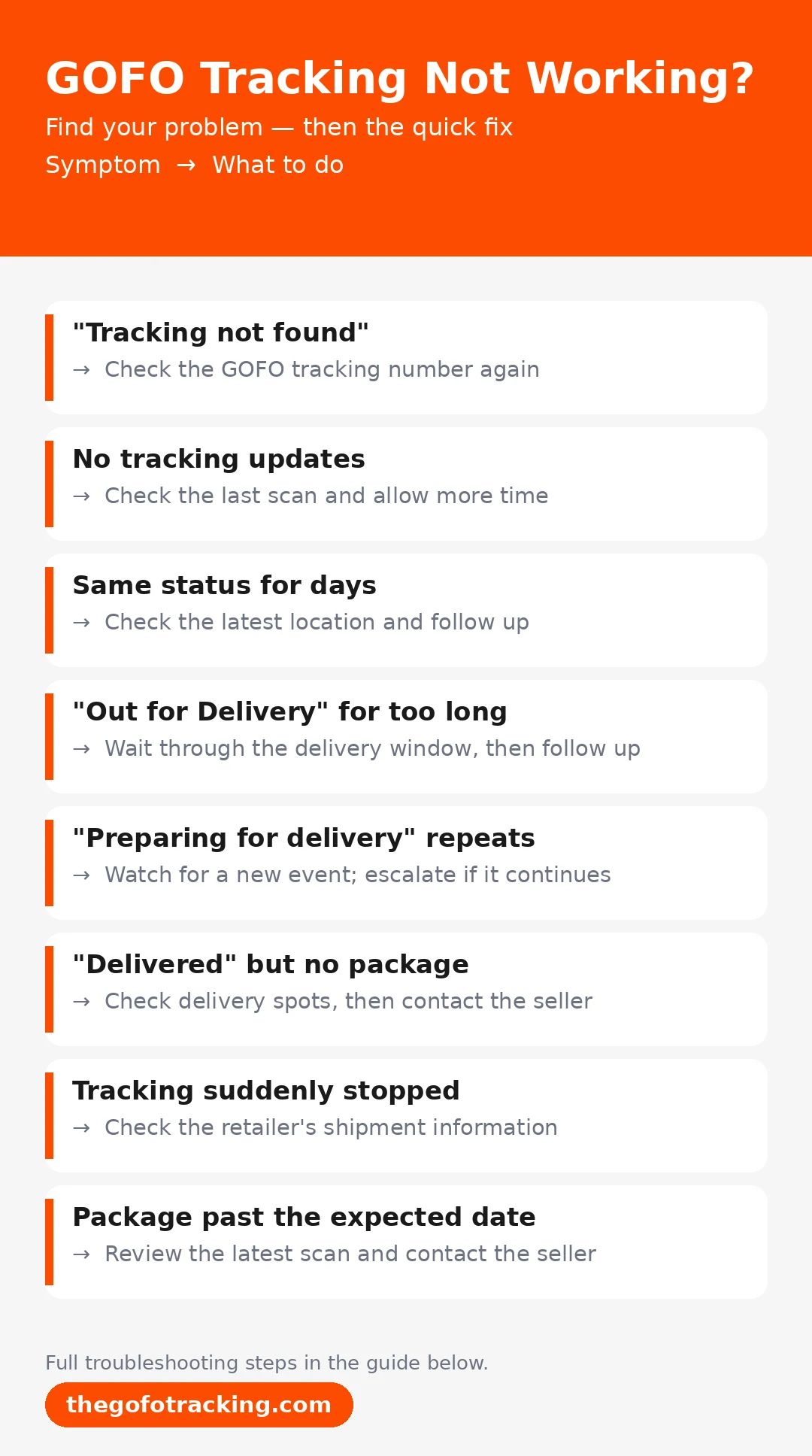
| What you see | What it may mean | What to do |
|---|---|---|
| “Tracking not found” | Wrong number or shipment not registered yet | Check the GOFO tracking number again |
| No tracking updates | No new scan has appeared | Check the last scan and allow more time |
| Same status for days | Package may be delayed at a facility | Check the latest location and follow up |
| “Out for Delivery” for too long | Delivery may be delayed | Wait through the delivery window, then follow up |
| “Preparing for delivery” repeats | Package may still be in local processing | Watch for a new event and escalate if it continues |
| “Delivered” but no package | Package may be nearby or wrongly marked | Check delivery spots, then contact the seller |
| Tracking suddenly stopped | Scan delay or carrier handoff may have happened | Check the retailer’s shipment information |
| Package is past the expected date | Shipment may be delayed | Review the latest scan and contact the seller |
Why Is My GOFO Tracking Not Working?
Start by checking the exact message on your tracking page.
A “not found” message is different from a shipment that stopped updating. The fix depends on what you’re seeing.
The Tracking Number Is Not Recognized
A GOFO delivery tracking number can fail if one character is wrong. Check for missing digits, extra spaces, or typing mistakes. Our GOFO tracking-number guide also explains where to find the correct carrier reference.
Also make sure you’re using the carrier tracking number. Retailers may show an order number separately. Copy the tracking number directly from your shipping details. Ordered from SHEIN or Temu? Our GOFO tracking for SHEIN guide shows where to find the right number.
If it still isn’t recognized, the shipment may not be visible in GOFO’s system yet.
The Tracking Number Has No Updates Yet
A tracking number can exist before useful tracking events appear. The retailer may show the order as shipped, while GOFO shows little information.
Check the retailer’s shipping page for the latest information. Then check GOFO again later. Repeatedly refreshing won’t create a new scan.
GOFO Tracking Is Not Updating
GOFO tracking not updating doesn’t always mean the package stopped moving. Look at the last useful tracking event first.
The Package Has Not Received a New Scan
Packages don’t receive a new tracking event at every step. A parcel can move between locations before another scan appears online. Check the date and location of the last scan.
A short gap is usually less concerning than several business days without movement. Cross-border parcels can pause longer, as our GOFO CBT tracking guide explains.
The Package Is Delayed at a Facility
Your package may stay at a regional or destination facility longer than expected. Sorting, transport, or high package volume can slow the next step. If the same facility keeps appearing without meaningful progress, save the latest details.
Those details will help if you need to report the delay.
The Tracking Status Keeps Repeating
Sometimes tracking seems stuck in a loop.
For example, “Preparing for delivery” may appear repeatedly with facility updates. That doesn’t automatically mean your package is lost. But repeated updates for several business days deserve attention.
Keep the latest status and dates ready if you need to contact support.
GOFO Tracking Says “Out for Delivery” but Nothing Arrives
Seeing “Out for Delivery” usually feels like good news. Then the hours pass, and your package still isn’t there. If it is on a driver’s route, our GOFO delivery driver guide explains how last-mile delivery works.
What “Out for Delivery” Usually Means
The package has reached the final part of its delivery journey. It doesn’t guarantee the GOFO delivery driver will arrive immediately. The tracking page may also stay unchanged until another event is recorded.
So, don’t assume the package is lost right away.
What to Do If It Stays “Out for Delivery”
First, check whether the normal delivery window has passed. Make sure someone can receive the package if the driver arrives later. If the status stays unchanged unusually long, follow up with the seller or GOFO.
For marketplace orders, the seller may also be able to investigate.
GOFO Tracking Is Stuck at a Delivery Facility
A facility delay can make a package look completely stuck. The important part is knowing whether the delay is short or unusual. Hub-specific delays are covered in the GOFO regional hub guide.
Check the Last Recorded Location
Look at the newest tracking event and its date. The location tells you where the package was last recorded. Don’t judge the shipment only by how often the page changes.
A recent facility scan may simply mean the parcel is waiting for its next stage.
When Should You Escalate?
One quiet day isn’t enough to assume something went wrong. Several business days without meaningful movement is different. Save the tracking number, latest location, and update date.
Then contact the seller or GOFO with those details. Our GOFO customer service guide lists the phone numbers, email, and hours.
GOFO Tracking Says “Delivered” but You Didn’t Receive the Package
A “Delivered” status needs a different approach. Don’t assume the package was stolen immediately. Check nearby locations first.

Check Common Delivery Locations
Look around your property and nearby areas. Check your:
- Front door
- Mailbox
- Reception desk
- Security desk
- Safe drop-off area
- Garage or side entrance
Also ask household members and nearby neighbours. Someone else may have accepted the package for you.
Check the Delivery Details
Open the official tracking result and review any available delivery notes or photo. Compare the pictured entrance or drop-off area with your address, and ask reception or household members whether they accepted the parcel. Save the delivery event, any photo and order details. If it remains missing, contact the retailer and GOFO and explain what you checked, including any unfamiliar location in the photo. A delivery photo may not be available for every shipment.
If the address is wrong, the issue may not be with GOFO tracking itself.
Contact the Seller if It’s Still Missing
If you still can’t find the package, contact the seller. This is especially useful for SHEIN, Temu, and similar marketplaces.
The seller may be able to investigate the shipment or offer another solution. Keep your order and tracking details ready.
GOFO Tracking Suddenly Stopped Working
What if your tracking worked yesterday, then suddenly stopped? There are a few possible reasons.
A Carrier Handoff May Have Occurred
Another delivery partner may handle part of a shipment. If that happens, tracking information may appear under another reference.
Check your retailer’s order page and recent shipping messages. Look for another carrier name or tracking number.
Don’t assume every GOFO shipment has a handoff. Check your order first.
The Tracking System May Be Behind
Tracking information can sometimes appear after physical movement happens. Your package may move without an immediate online update.
Refreshing the GOFO website won’t force another tracking event. Check the latest recorded status instead.
Check the Retailer’s Shipment Information
The retailer may show information that GOFO doesn’t currently display. Compare the shipping status, expected date, and carrier details.
This can help you tell whether the problem is tracking or delivery.
GOFO Tracking Is Working, but My Package Is Late
Sometimes the tracking works normally, but the package misses its expected date. That’s a delivery delay rather than a tracking failure.
Compare the Status With the Expected Date
Start with the delivery date shown by the retailer. Then check the latest meaningful tracking event. A late package isn’t automatically a lost package.
The last scan can show whether it is still moving through the network.
Contact the Seller When the Delay Continues
Contact the seller when the delay becomes significant. This can be especially useful for SHEIN, Temu, and similar stores. Tell them the expected date has passed and share the latest status.
The seller may have options that aren’t available to you directly.
What to Do When GOFO Tracking Still Isn’t Working
Still stuck? Stop refreshing the same page. Gather the information someone can actually use instead. International parcels also slowed after the end of de minimis.
Recheck your tracking number and order details.
Check the last scan, location, and update date.
Compare with the retailer’s shipping page.
Save screenshots of important updates.
Contact GOFO or the seller.
Recheck These Details
Before contacting anyone, confirm: Customers don’t need a driver app to track; see the GOFO app guide.
- GOFO tracking number
- Retailer order number
- Latest tracking status
- Last update date
- Last recorded location
- Expected delivery date
- Shipping address
This quick check can prevent unnecessary hustle.
Save Screenshots of Important Updates
Take a screenshot when the tracking looks unusual. This helps if the status changes later. Keep screenshots of “Delivered,” repeated facility updates, or long delays.
Contact GOFO or the Seller
Contact GOFO for tracking or delivery questions. Contact the seller for refunds, replacements, or order investigations. For contact details, see our separate GOFO customer service number guide.
When Should You Worry About a GOFO Package?
Not every tracking delay needs immediate action. The key is knowing when to wait and when to follow up.
Usually not urgent when:
- The number was recently created
- The last scan was recent
- The package recently reached a facility
- There is only a short update gap
- The delivery window hasn’t passed
Worth following up when:
- The same status repeats for several business days
- The package stays at one facility unusually long
- The delivery date has passed
- “Out for Delivery” stays unchanged too long
- Tracking suddenly stops after regular updates
Escalate the problem sooner if GOFO says “Delivered” but you received nothing, or if there is a long period with no meaningful movement. Keep your tracking and order details ready. Got a message that looks suspicious? Check our Is GOFO tracking legit? guide before clicking anything.
GOFO Tracking Not Working FAQs
Why Is My GOFO Tracking Not Working?
The number may be new, incorrect, or missing its first scan. A delayed update can also make an active shipment look stuck.
Why Does GOFO Tracking Say “Not Found”?
The tracking number may contain a typing error. It may also be too new to appear in the system. Check your shipping details and try again later.
Why Is My GOFO Package Stuck on “Out for Delivery”?
The package may still be waiting for final delivery. The status may also remain unchanged until another event appears. If it stays that way too long, follow up with the seller or GOFO.
What Should I Do If GOFO Says My Package Was Delivered?
Check your door, mailbox, reception area, and safe locations. Ask household members and nearby neighbors too. If you still can’t find it, contact the seller.
How Long Should I Wait When GOFO Tracking Stops Updating?
There isn’t one fixed waiting period for every shipment. Check the last scan, location, and expected delivery date first. If several business days pass without meaningful movement, follow up.
Can Customs Cause GOFO Tracking to Stop Updating?
International shipments can have longer tracking gaps while waiting for customs processing or clearance. See our GOFO CBT tracking guide for cross-border parcels.
Can Weekends or Holidays Delay GOFO Tracking Updates?
Tracking updates may appear less often during weekends or holidays. Check the last scan before assuming there’s a delivery problem.
Can GOFO Tracking Switch to Another Carrier?
Sometimes a shipment may involve another delivery partner. Check your retailer’s order page for another carrier name or tracking reference.
More GOFO Tracking Guides
GOFO Regional Hub Explained
Hub locations, tracking statuses and what happens next. Read the regional hub guide →
GOFO Delivery Driver Guide
Requirements, pay, jobs and how to apply. Read the driver guide →
GOFO Customer Service & Contact Info
Phone numbers, email, hours, and country contacts. Read the customer service guide →
Ready to Track Your GOFO Package?
Have your tracking number ready and check the latest status, location, and delivery updates.
GOFO Tracking is an independent guide and is not affiliated with GOFO.
Similar Posts
GOFO Delivery Driver: Requirements, Pay, Jobs & How to Apply
GOFO Delivery Driver: Requirements, Pay, Jobs & How to Apply…
GOFO CBT Tracking
What GOFO CBT means, how to track a CBT parcel, what each status says, how long it takes and what to do when it is stuck.
GOFO App: Driver App, Login, Download & Application Guide
GOFO App: Driver, Delivery, Tracking & Login Guide Which GOFO…
GOFO Tracking Customer Service & Contact Info
GOFO Tracking Customer Service & Contact Info Phone numbers, email,…
GOFO Tracking Reviews
Is GOFO tracking legit? Reviews, accuracy, scam warning signs and how to verify a GOFO tracking number safely.
GOFO Tracking for SHEIN, Temu & Other Retailer Orders
Got a GOFO number on your SHEIN or Temu order? Learn where to find it, how to track it, and what to do if it won’t update.


