
GOFO Tracking: Track Your GOFO Package
Enter your GOFO tracking number below to check your package’s latest status, recorded location, and delivery history. If tracking has stopped updating, review the last scan and use our delivery help guides.
Track Your GOFO Package
GOFO tracking lets you check the latest available information about your shipment.
- Current shipment status
- Latest tracking update
- Last recorded location
- Facility or distribution center
- Delivery progress
- Delivery exceptions
Tracking information is based on the latest shipment event the carrier recorded. If there hasn’t been a new scan, the status may stay unchanged for a while.
What Is GOFO Tracking?
GOFO tracking lets you follow your package as it moves through the delivery network. You may also see the carrier named GOFO Express in shipping messages or retailer details. For GOFO Express tracking, use the complete carrier tracking number supplied with your order in the tracker above.
You can use the tracking page to check whether your package has been received, is moving between facilities, is out for delivery, or has been marked delivered.
If the tracking information hasn’t changed, it doesn’t always mean the package has stopped moving. A new update may appear after the next scan.
How to Track a GOFO Package
Tracking your GOFO package only takes a few steps. Curious who actually drops off your parcel? Read our GOFO delivery driver guide. No app needed to track a parcel; see our GOFO app guide for the driver and courier apps.
Find your GOFO tracking number.
Check your shipping email, order page, or delivery notification.
Enter the tracking number in the GOFO tracker.
Click Track Package.
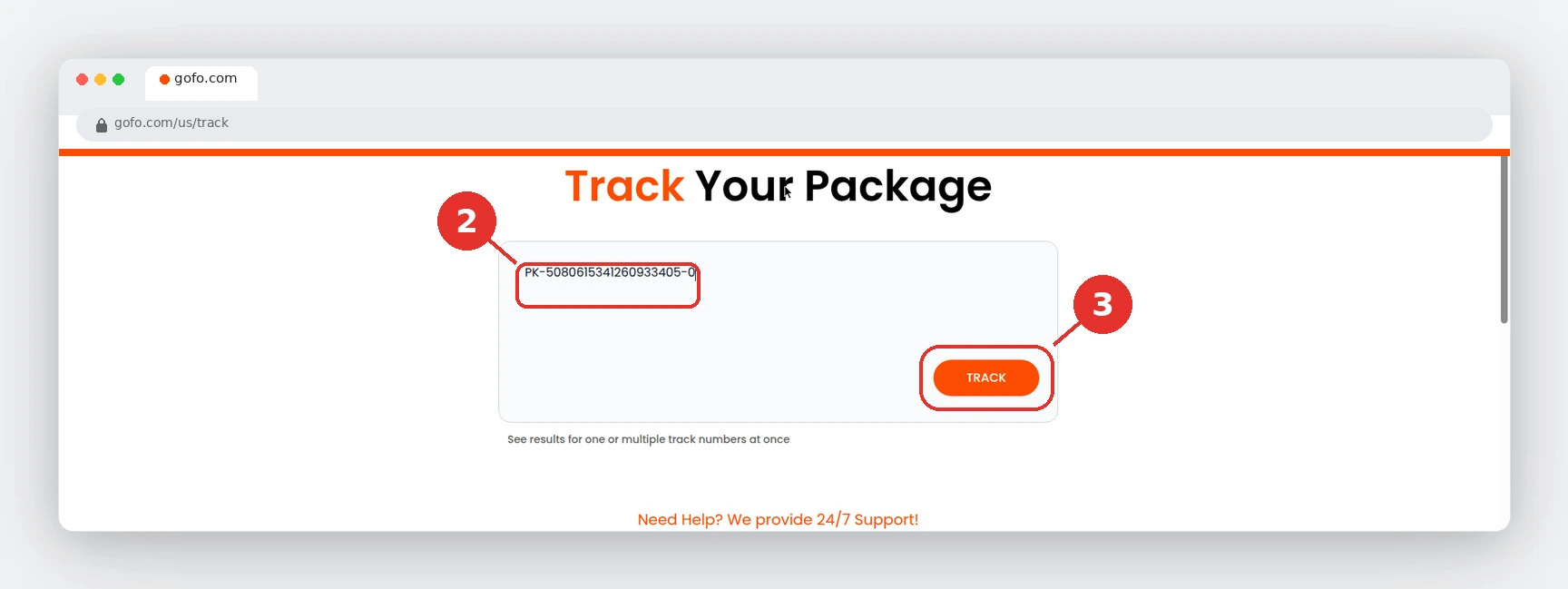
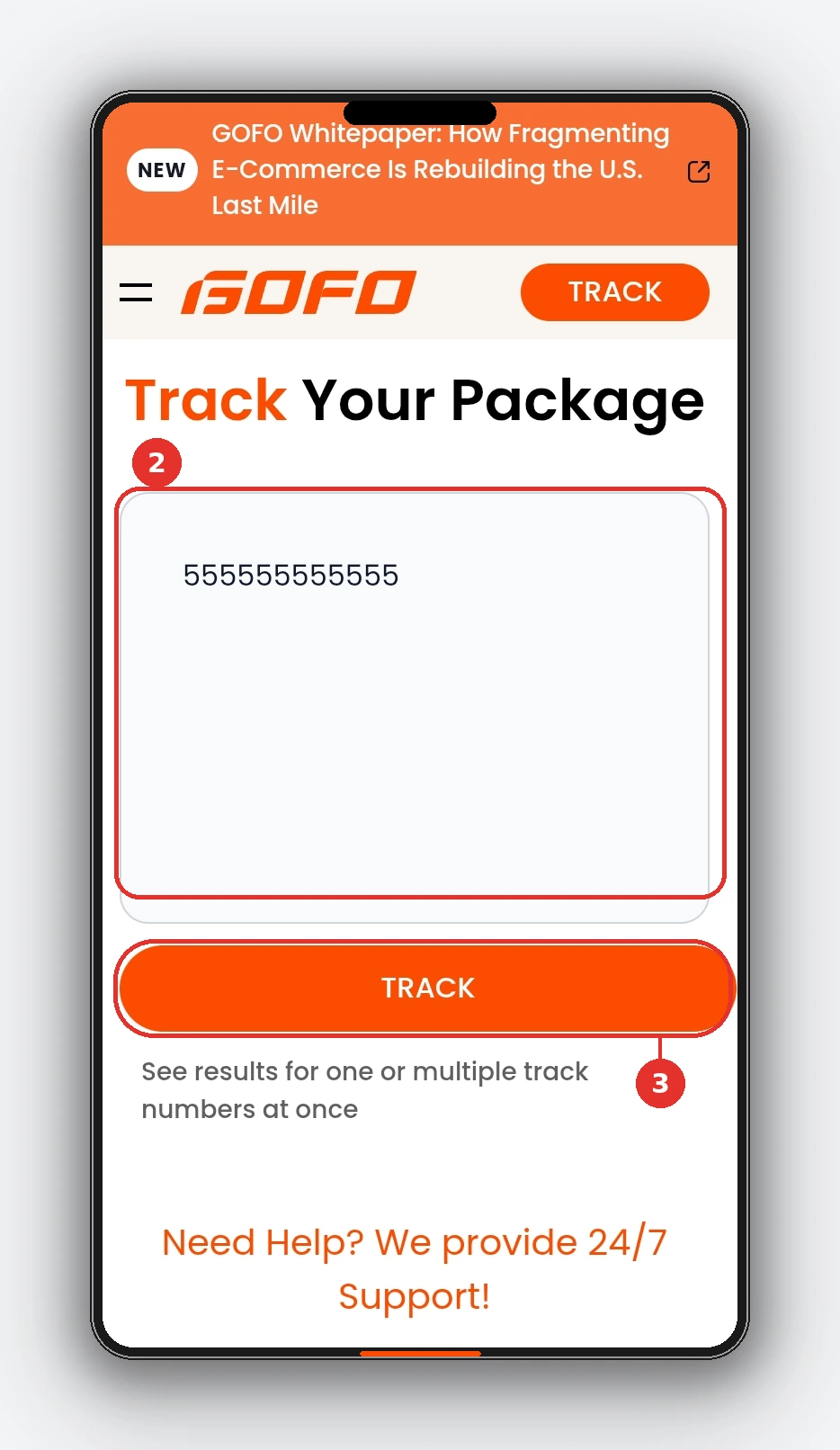
Check the latest status and location shown in the tracking result.
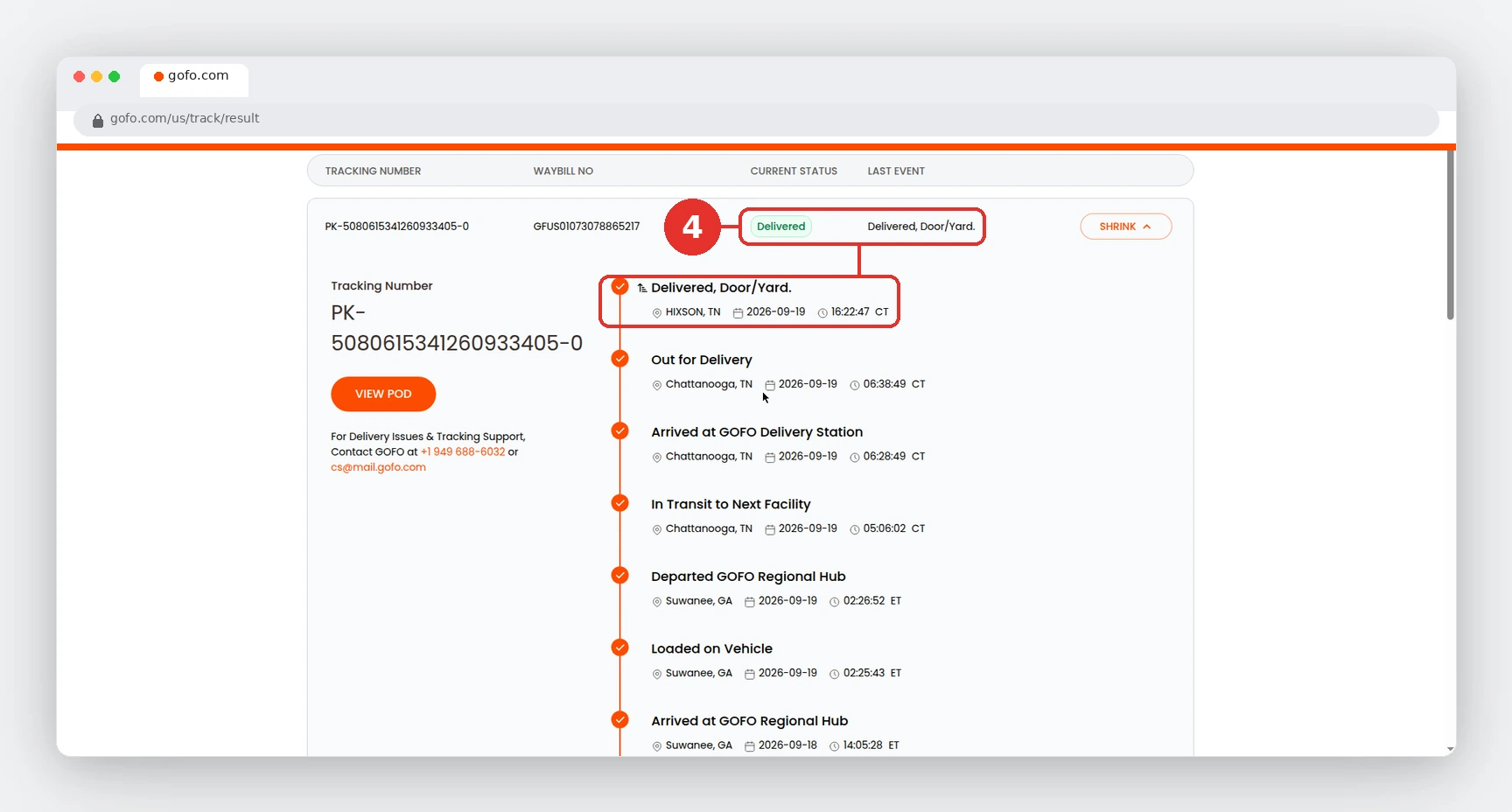
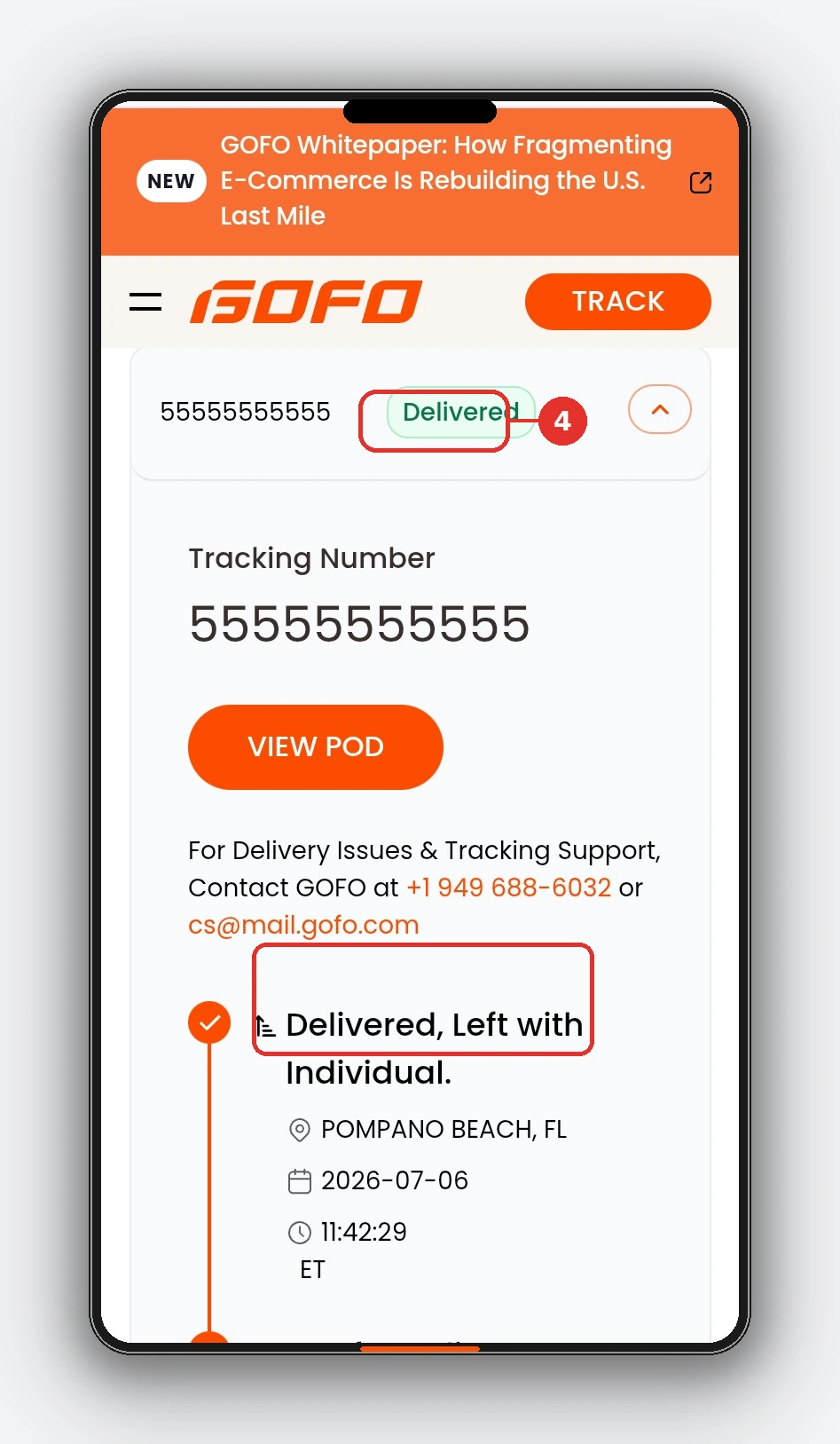
Check again later if there is no new update.
Always enter the tracking number exactly as provided by the retailer or shipping notification.
Where Can I Find My GOFO Tracking Number?
Your GOFO tracking number may be available in:
- Shipping confirmation emails
- Your online order page
- The retailer’s app
- Delivery notifications
- Package or shipping labels
If you cannot find a tracking number, check the order details first. You can also contact the retailer or seller that shipped your package.
GOFO Tracking Number vs. Order Number
A tracking number lets you follow the shipment through the delivery network.
An order number identifies your purchase with the retailer.
They are not always the same number. If the tracker does not recognize your order number, look for the separate shipping or tracking number.
What Does a GOFO Tracking Number Look Like?
Many U.S. GOFO tracking numbers begin with GFUS followed by digits. A masked example is GFUS0107••••••••••; it shows the pattern only and is not a working tracking number. Formats can vary by market and shipment, so copy your complete reference from the retailer. A matching prefix alone does not prove a shipment is genuine.
Avoid adding spaces or extra characters when entering the number. For formats, missing references and order-number checks, read our GOFO tracking-number guide.
Understanding GOFO Tracking Status
Your GOFO tracking status shows the latest recorded event for your package. Common statuses may include:
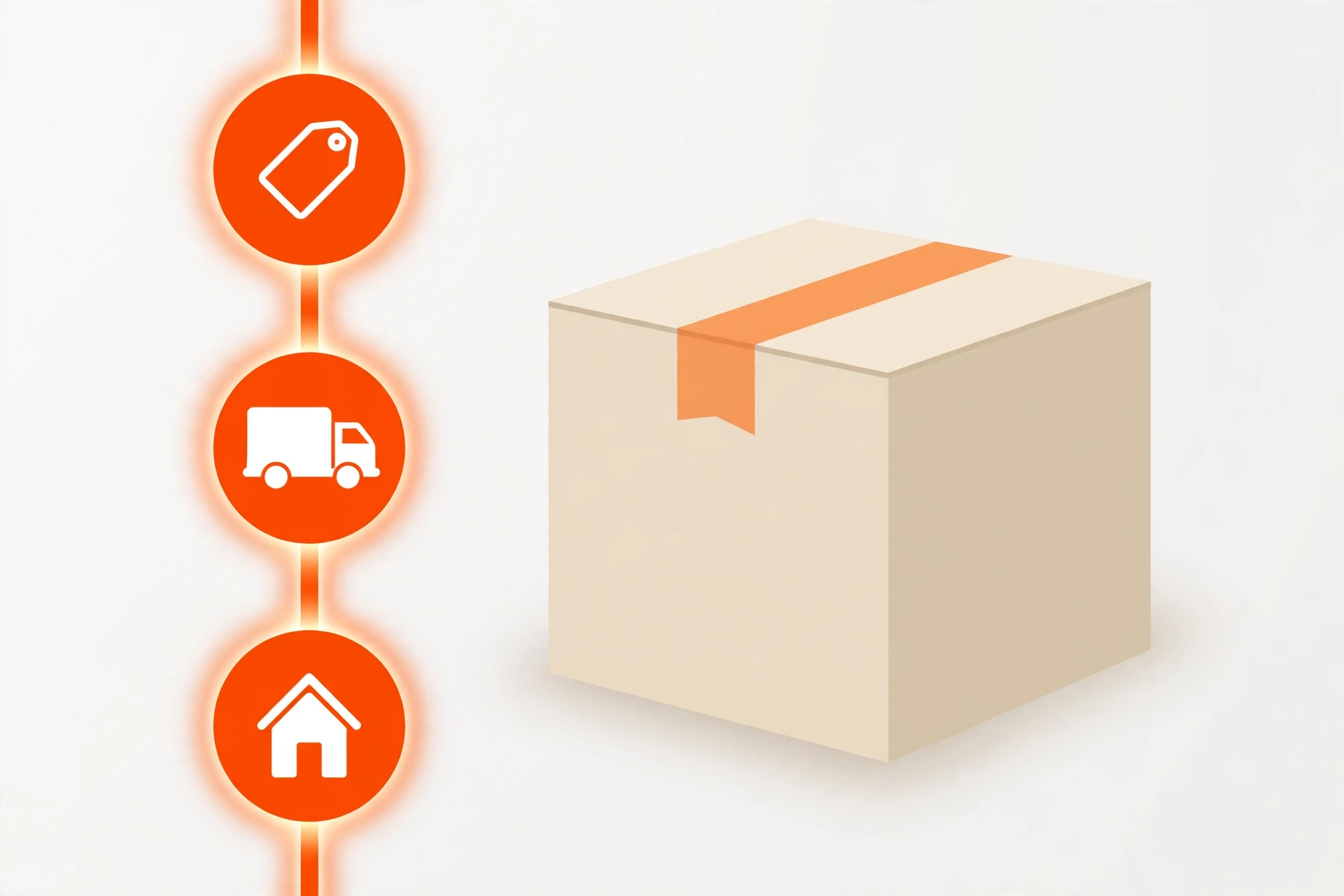
| GOFO Status | What It Means |
|---|---|
| Label Created | Shipping information has been created, but the package may not have been scanned yet. |
| Package Received | The carrier has received the shipment. |
| In Transit | The package is moving through the delivery network. |
| Arrived at GOFO Regional Hub | Your parcel has reached a processing hub. It may need another transport leg before reaching your local delivery station. |
| Departed GOFO Regional Hub | The parcel has left that hub. Look for the next facility or station scan; this does not mean it is out for doorstep delivery. |
| In Transit to Next Facility | The shipment is moving toward another processing stop. Its next scan may appear only after arrival. |
| Arrived at GOFO Delivery Station | The parcel has reached a delivery-stage facility. GOFO’s official FAQ gives a typical 1–2 calendar-day estimate from station arrival, subject to delays. |
| Loaded on Vehicle | The parcel was recorded as loaded for a transport leg. Read adjacent events; this wording alone does not confirm the final delivery route. |
| Out for Delivery | The package is in the final stage of delivery. |
| Delivered | The shipment has been marked as delivered. |
| Delivery Exception | An issue has interrupted the normal delivery process. |
Tracking wording can vary between shipments and tracking systems. The latest status and tracking event together provide the best available picture of your package’s progress.
What Should You Do Based on Your GOFO Tracking Status?
Your next step depends on the status shown in your tracking results:
| Tracking Status | What You Should Do |
|---|---|
| Label Created | Wait for the first carrier scan to appear. |
| Package Received | No action needed – wait for the next scan. |
| In Transit | The package is moving through the delivery network. Check again for the next scan. |
| Arrived at Facility | Wait for the next processing or movement update. |
| Out for Delivery | Keep an eye out for the delivery at your address. |
| Delivered | Check your usual delivery locations if you cannot find the package. |
| Delivery Exception | Check the latest tracking message for more information about the issue. |
GOFO U.S. Coverage & Regional Hubs
Wondering why your package is passing through another state? GOFO moves parcels through regional hubs before sending them to local delivery stations. Its official U.S. network page reports coverage of more than 12,000 ZIP codes, reaching about 75% of the U.S. population.


The network includes locations such as Los Angeles, New Jersey, Dallas, Houston, Chicago, Atlanta, Miami and New York. A hub scan describes a processing stop; it does not mean your parcel is ready for collection.
This overview is not an address-level service checker or a live parcel map. Coverage can change. Use your shipment’s scans for its recorded location, and see our GOFO regional hub guide for more help. GOFO states that recipient self-pickup is unavailable.
GOFO Delivery Times, Hours & Weekend Updates
The most useful delivery estimate depends on where your package is now. A shipping-label update is different from arrival at your local delivery station.
| Latest stage | What to expect | What to do |
|---|---|---|
| Label created | The seller has created shipment details. This alone does not confirm carrier receipt. | Check the retailer’s order page for handover information. |
| Moving through regional hubs | The parcel may need more sorting and transport before its final route. | Follow the latest dated scan rather than counting from the order date alone. |
| Arrived at GOFO Delivery Station | GOFO’s support FAQ says delivery is typically completed within 1–2 calendar days after station arrival. | Treat this as guidance, not a guaranteed arrival date. Weather, traffic and other disruptions can affect delivery. |
| Out for delivery | The parcel is in its final delivery stage. The scan is not an exact appointment or a live GPS position. | Check for delivery instructions and any later exception or completion scan. |
Does GOFO Deliver on Saturday or Sunday?
Do not assume a Saturday or Sunday arrival for every shipment. Check your parcel’s own delivery estimate and scans. GOFO offers recipient support on weekends, but support opening hours are not a promise of weekend delivery.
What Time Does GOFO Stop Delivering?
The official support information checked for this guide does not specify one nationwide delivery cutoff. If your expected date has passed, keep the last scan and contact the sender. Avoid treating the support hotline’s closing time as a delivery deadline.
Delivery-stage guidance: GOFO customer support FAQ. Checked November 15, 2026.
Where Is My GOFO Package?
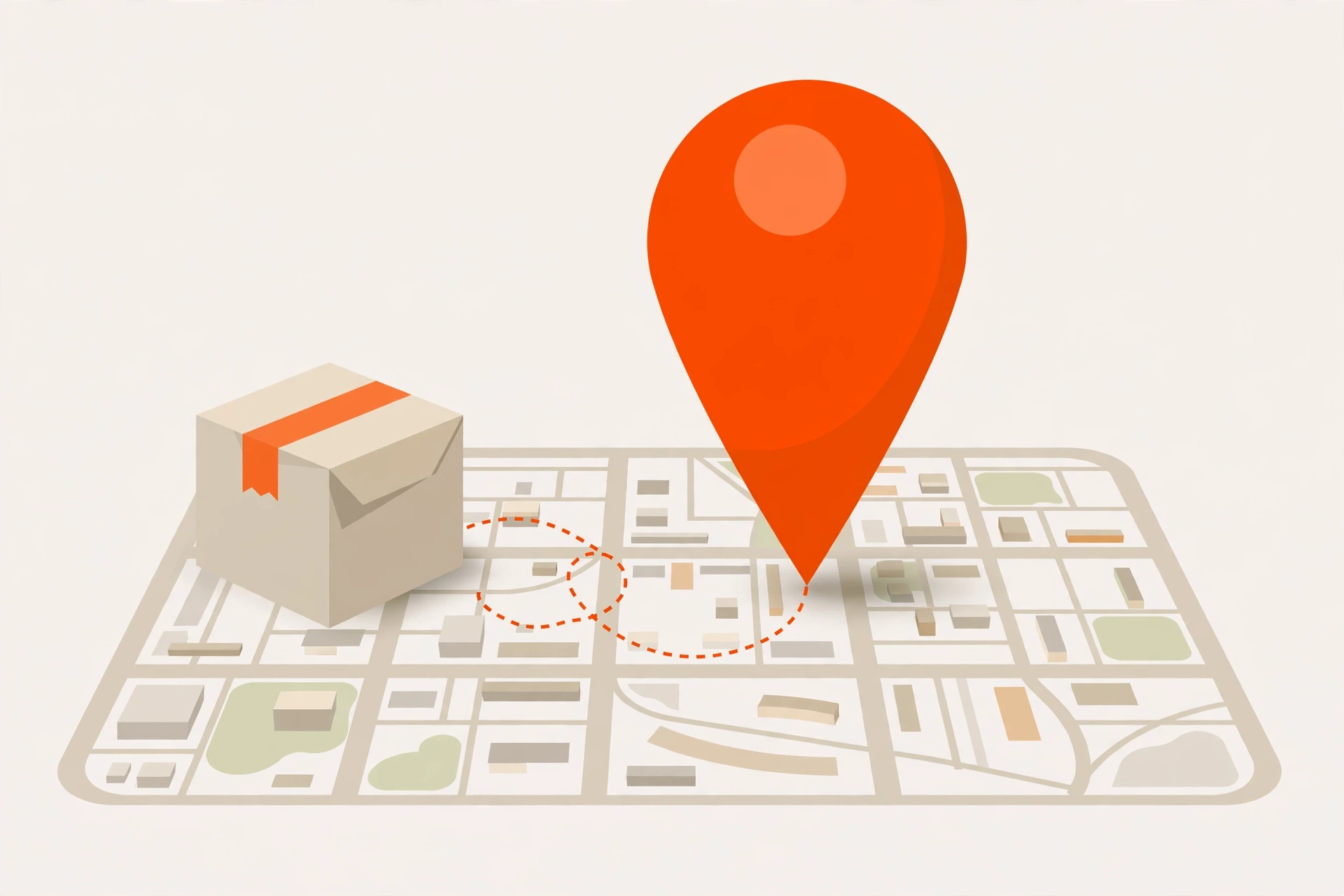
GOFO tracking usually shows the last recorded shipment location, not the package’s exact live location.
You may see a city, facility, or distribution center in your tracking history. Your package may move between facilities before another scan appears, so the location shown may not reflect its exact current position.
What Does a GOFO Distribution Facility Mean?
A GOFO distribution facility is a location where shipments may be received, sorted, scanned, processed, and sent to their next destination.
Seeing a facility in your tracking history is normally part of the delivery process. Your package may pass through several facilities before reaching the final delivery area.
Why Is My GOFO Tracking Not Updating?
A tracking status can remain unchanged for some time even when a package is still moving. Tracking stuck or not updating? Follow our GOFO tracking not working guide. Seeing a hub or facility scan? Our GOFO regional hub guide explains what each stop means.
Common reasons include:
- The shipping label was created, but the first scan has not appeared.
- The package is traveling between facilities.
- A new scan has not been recorded yet.
- The shipment is waiting for a carrier handoff.
- Weekends or holidays may delay new updates.
- An international shipment may be waiting for customs processing.
A gap between tracking updates doesn’t automatically mean your package is lost.
Common GOFO Tracking Problems
Different tracking issues can have different explanations:
| Tracking Problem | Possible Reason |
|---|---|
| No tracking information | The label may have been created, but the first carrier scan has not appeared yet. |
| Tracking has not changed | The package may be between facilities or waiting for another scan. |
| Location has not changed | The shipment may still be moving without a new recorded event. |
| Package appears delayed | A carrier handoff, processing issue, weekend, holiday, or customs process may affect updates. |
| Says delivered but package is missing | The package may have been left in another safe location or with a household member or neighbor. |
What Should I Do If My Tracking Has Not Changed?
If your GOFO tracking has not updated:
- Check that you entered the correct tracking number.
- Review your retailer’s order page.
- Check your shipping confirmation.
- Wait for the next tracking scan.
- Contact the retailer if the tracking remains unchanged for an unusually long period.
The retailer may also be able to confirm whether the shipment has been handed over for delivery.
GOFO Tracking for Online Orders
GOFO may be listed as the carrier for an online order even when you purchased the item from a different retailer.
The retailer usually provides the tracking number when the order ships. Check your shipping confirmation or order details and enter that number in our GOFO tracker. For step-by-step help, see our GOFO tracking guide for SHEIN, Temu & other retailer orders.
GOFO Tracking for Shein Orders
If your Shein order shows GOFO as the carrier, check your Shein shipping details for the GOFO tracking number.
Enter the tracking number in the GOFO tracker to check the available shipment updates. If there is no information yet, the shipment may be waiting for its first carrier scan.
GOFO International Tracking
International shipments can involve additional transportation and processing stages before delivery. For country-specific tracking pages, number prefixes and support details, see our GOFO tracking by country guide. If your retailer uses the term CBT, compare the original carrier reference with any GOFO last-mile number. Our GOFO CBT tracking guide explains cross-border handoffs and scan gaps.
A cross-border shipment may pass through:
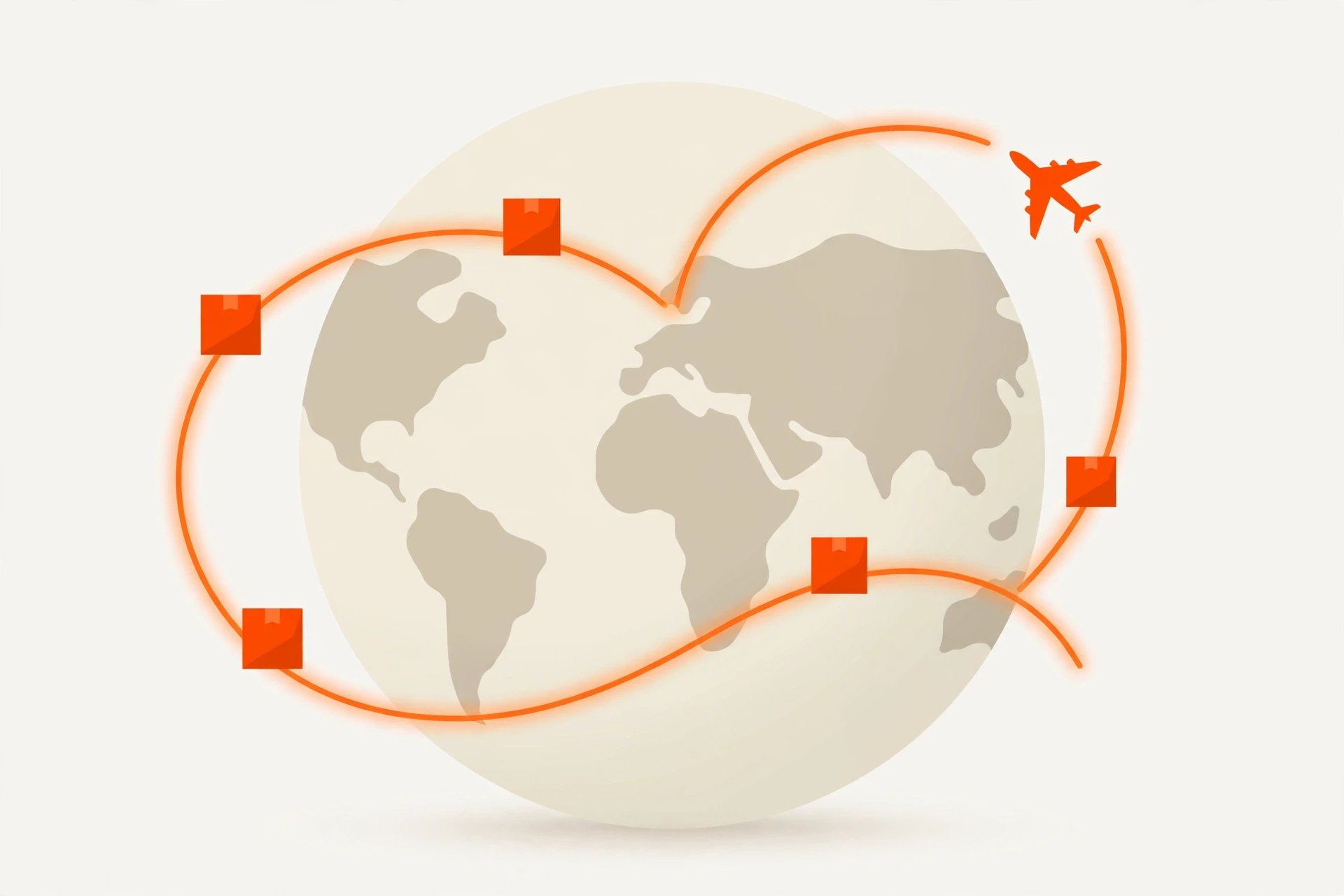
- Origin processing
- International transportation
- Customs processing
- Carrier handoff
- Regional distribution
- Final delivery
These stages can sometimes result in longer gaps between tracking updates. Check the latest tracking event for the most current information available for your shipment.
GOFO Delivery Problems
Most tracking questions can be answered by checking the latest shipment event. If something unusual appears, the next step depends on the status shown.
GOFO Says Delivered, But I Cannot Find My Package
If your tracking says Delivered but you cannot find the package, check common delivery locations first:
- Front door or porch
- Mailbox
- Building reception
- Other safe delivery areas
- With household members or neighbors
Before reporting the parcel missing, open the official tracking result and review any available delivery notes or photo. Compare the drop-off area with your address and ask household members or reception whether they accepted it. Save the delivery event, any photo and your order details. If it is still missing, tell the retailer and GOFO what you checked and describe any unfamiliar location in the photo. A delivery photo may not be available for every shipment. Our GOFO customer service guide explains who to contact and what to include.

What Does a GOFO Delivery Exception Mean?
A Delivery Exception means that something interrupted the normal delivery process.
The tracking event may provide more information about the reason. Check the latest update first. If the message is unclear or the shipment remains delayed, contact the retailer or the appropriate delivery support channel. If the status has stopped moving, see why GOFO tracking is not updating.
Is GOFO Legit?
Seeing an unfamiliar delivery company on an order can be confusing. Before taking action on a delivery message, check that the tracking number matches the shipment shown in your retailer’s order details.
Be careful with unexpected messages asking you to make a payment or provide personal information. If a message looks suspicious, do not follow an unknown link. Instead, check your order through the retailer’s official website or app. For reviews, accuracy and scam warning signs, read our Is GOFO tracking legit? guide.
GOFO Tracking Text Messages
Some retailers may send shipment notifications by text message. These messages can include tracking information or links to shipment details.
If you receive an unexpected GOFO tracking message, check it against an order you actually placed before using any link.
If a message asks for payment or personal information and you are unsure whether it is genuine, avoid the link and check your order directly through the retailer’s official website or app.
Tips for Tracking Your GOFO Package
A few simple steps can make package delivery easier:
- Save your tracking number after placing an order.
- Check your delivery address before the order ships.
- Keep your order and shipping confirmation emails.
- Check tracking periodically for new updates.
- Watch for delivery instructions or exceptions.
- Check safe delivery locations after a package is marked delivered.
- Contact the retailer if the shipment appears unusually delayed.
How Often Does GOFO Tracking Update?
Tracking changes when new shipment information is recorded. There is no fixed scan interval for every parcel, and a package can move between facilities before another event appears.
Check the latest scan’s date and location. If your expected delivery date has passed without useful progress, keep those details and contact the retailer. Our tracking troubleshooting guide explains common gaps and next steps.
GOFO Customer Service for U.S. Recipients
For delivery and tracking questions, use the recipient contact options below. This independent website cannot change your delivery address, dispatch a driver or approve a refund.
| Contact option | Details |
|---|---|
| Recipient hotline | +1 (949) 688-6032 |
| Phone hours, Monday–Friday | 9:00 AM–9:00 PM EST, as listed by GOFO |
| Phone hours, Saturday–Sunday | 11:00 AM–7:00 PM EST, as listed by GOFO |
| cs@mail.gofo.com | |
| +1 (787) 469-5811 | |
| WhatsApp hours | Monday–Friday: 9:00 AM–9:00 PM EST; Saturday–Sunday: 11:00 AM–8:00 PM EST |
Have your tracking number, retailer order number and latest scan ready. If a shipment appears delayed or lost, GOFO advises contacting the sender so they can submit an inquiry on your behalf. For a missing delivered parcel, check the available delivery evidence and usual safe locations first.
Package pickup: GOFO says recipient self-pickup is not available. A hub shown in tracking is not an invitation to visit the facility.
For detailed steps, read our GOFO customer service guide. Source: official GOFO support page, checked November 15, 2026. Contact details and hours can change.
FAQs About GOFO Tracking
How Long Does GOFO Delivery Take?
GOFO’s official support FAQ gives a typical 1–2 calendar-day estimate after arrival at a GOFO Delivery Station. This is not the total time from placing your order, and delays can occur. See the delivery-times section for the difference between shipment stages.
Why Does My Shein Order Show GOFO?
GOFO may be the carrier assigned to your shipment. Check your Shein shipping details for the GOFO tracking number and enter it in our GOFO tracker.
Can I Track GOFO Without a Tracking Number?
A tracking number is normally required to look up a specific GOFO shipment. If you cannot find yours, contact the retailer or seller that shipped your order.
Does GOFO Tracking Show the Exact Package Location?
Tracking usually shows the latest recorded location or shipment event, not the package’s exact live location. Your package may continue moving before another scan appears.
What If GOFO Says Delivered But I Cannot Find My Package?
Check your usual delivery locations, mailbox, reception area, and with household members or neighbors. If the package is still missing, contact the retailer with your GOFO tracking number and order details.
More GOFO Tracking Guides
GOFO Tracking Not Working?
Why updates stall and how to fix it. Read the not-working guide →
GOFO Delivery Driver Guide
Requirements, pay, jobs and how to apply. Read the driver guide →
GOFO App Guide
Which GOFO app you need, download and login. Read the GOFO app guide →
Ready to Track Your GOFO Package?
Have your tracking number ready and check the latest status, location, and delivery updates.
GOFO Tracking is an independent guide and is not affiliated with GOFO.